
CHART OVERLAYS
Your trends, on one timeline.
See weight, body composition, active calories and food intake together. Choose the layers you want, then explore how your own trends move over time.
Free for iPhone. Now accepting beta testers.
Get a launch alert →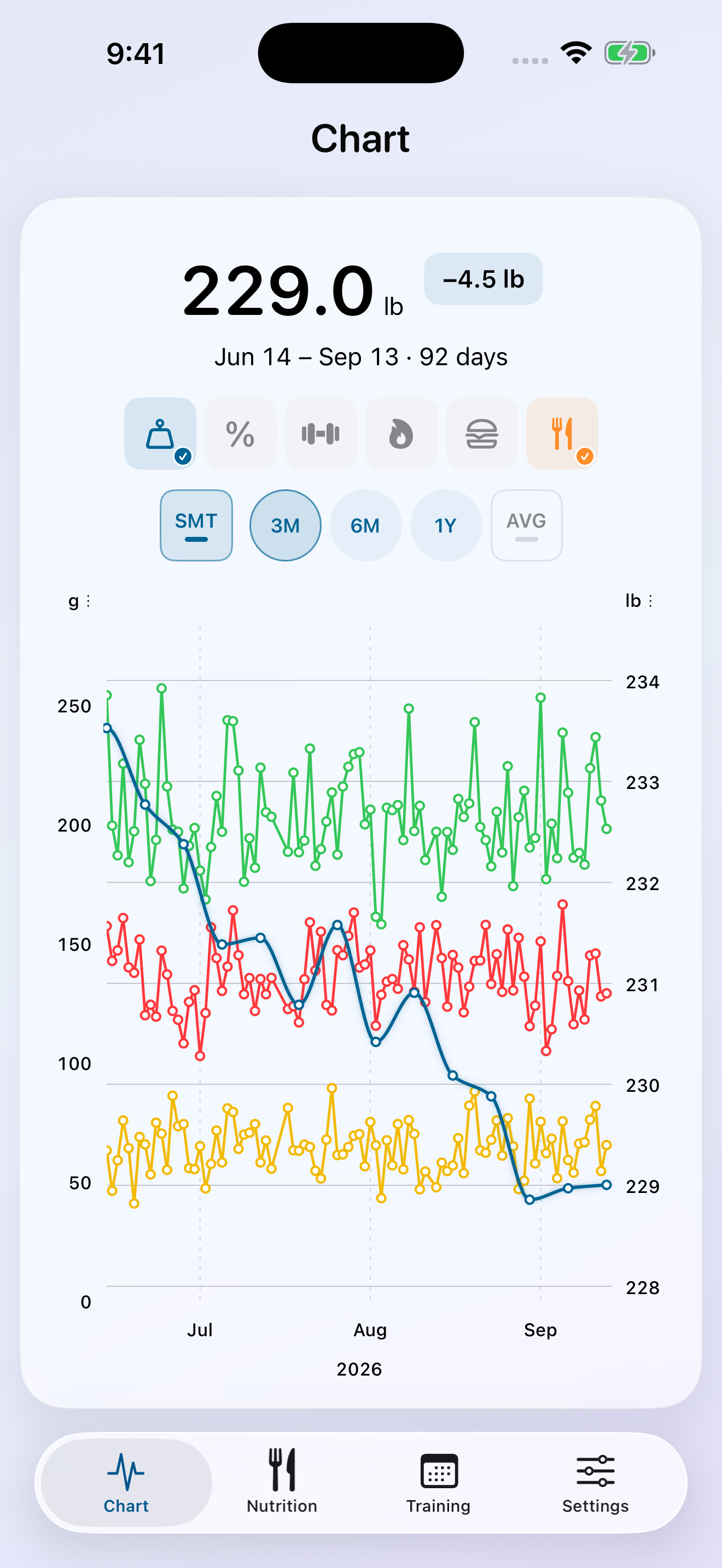
A weigh-in is one part of the picture.
Your food log, workouts and body measurements describe different parts of your routine. TrendMotion puts them on the same timeline so you can look at them together without switching between separate summaries.
Turn on weight and macros to compare intake with your weight trend. Switch to body-fat percentage and calories burned to explore a different view. You can also display calories or macros on their own, without a weight chart.
Choose what your chart shows.
- Weight and lean mass
- Measurements in pounds or kilograms, using your preferred units.
- Body fat
- Body-fat percentage on a percentage scale.
- Calories burned
- Active calories in kcal, rather than calories eaten or total daily energy expenditure.
- Macros
- Protein, carbohydrates and fat from your food log, measured in grams.
Separate scales help keep unlike measurements readable. Adjust the chart’s appearance, including line thickness and hollow point size, to suit the view you use most.
Look closer, or step back.
Use the 3M, 6M and 1Y buttons to change the time range. SMT groups readings into calendar averages when you zoom out. AVG adds reference lines for recent seven-day averages. These are different ways to make a busy chart easier to read.
Tap a data point to inspect its reading. Lines connect the recorded values so changes are easier to follow; they are not additional measurements between those points.
Give changes some context.
Add cheat-day markers, supplement markers, program starts or diet-change notes. A marker helps you remember what was happening when a trend changed.
Use overlays to notice patterns and ask better questions about your routine. Two trends moving together does not establish that one caused the other. The examples shown here use fictional demo data to demonstrate the chart.
Connect your measurements through Apple Health and build your intake history with the calorie and macro tracker.
Your health trends. Simplified.
App Store release is coming soon. Leave your email for a launch alert.
Get a launch alert →